
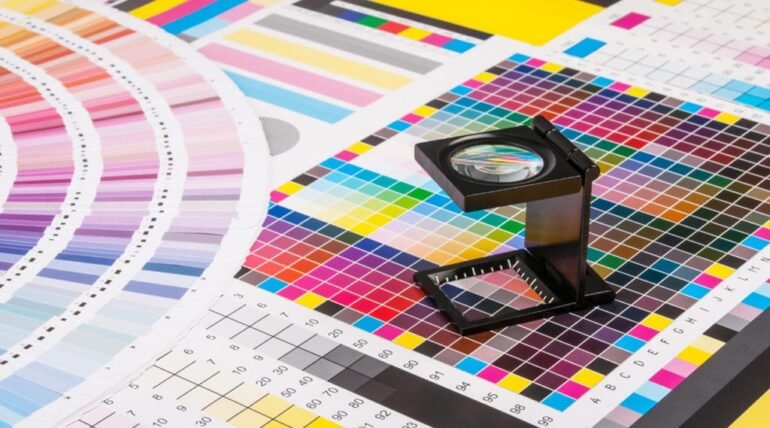
Creating a book cover that looks as stunning in print as it does on your screen takes more than great design skills. It requires understanding how colors truly behave in the world of printing. Many first time authors or designers feel surprised when their vibrant digital covers appear dull once printed. This is where CMYK cover file preparation comes into play. It is the process of converting and preparing your design so that the printed version matches your creative vision as closely as possible. Imagine spending weeks designing a cover that shines on your laptop only to see faded tones in the final printed copy.
That disappointment is completely avoidable. With a bit of care and knowledge about CMYK color settings, you can ensure your book cover looks professional and eye-catching. Whether you are an independent author searching for a book publisher or planning to publish my book through an online platform, mastering this step will save time and ensure quality. Even if your project is handled by an ebook publisher who later offers print options, knowing how to prepare your CMYK cover file helps you make smarter design decisions.
Understanding CMYK for Print Projects
Cyan, Magenta, Yellow, and Key (Black) are the letters that make up CMYK. These four colors blend together to create the full color spectrum used in printing. Unlike RGB which is used for digital screens, CMYK ensures that colors appear correctly when printed on paper. If your design remains in RGB mode, printers may automatically convert it, resulting in unexpected shades or loss of vibrancy.
How to Prepare Your CMYK Cover File Preparation
The first step is to set your design software to CMYK color mode before starting the project. This ensures that every color you choose is optimized for printing. Use high resolution images preferably 300 DPI to avoid any blurriness. Double check that all text is readable and properly aligned near the spine and edges. Bleed areas are another important aspect. Extend your background images or colors slightly beyond the trim lines to prevent white borders after cutting.
Also, make sure your fonts are embedded or outlined so they display correctly across different systems. Finally, export your file in a print ready format such as PDF or TIFF. Always review the printer’s specific file requirements before submission. A quick conversation with your chosen book publisher can help you confirm the correct file dimensions and settings.
Why CMYK Preparation Matters
CMYK preparation matters because it determines how your final printed cover will look in the real world. What appears bright and vivid on a digital screen often changes when transferred to paper, and that difference can make or break a reader’s first impression. Digital screens display colors using light, which is why RGB images appear more vibrant. Printing, on the other hand, uses ink on a physical surface, and the mix of Cyan, Magenta, Yellow, and Black creates a different visual result. Without proper CMYK conversion, your reds might look brownish, your blues might lose depth, and your overall design could appear dull or off balance.
A correctly prepared CMYK file ensures consistency and accuracy. It allows printers to reproduce your colors exactly as you intend, reducing the risk of reprints or adjustments. This is especially important if you are working with a book publisher that expects professional print ready files. Proper CMYK setup also helps maintain brand identity across all print materials, which is vital if you plan to publish my book as part of a series or marketing campaign. Even when working with an ebook publisher who offers print on demand options, understanding CMYK preparation keeps your project aligned with professional print standards.
Beyond the technical benefits, CMYK preparation represents attention to detail and respect for your work. It shows that you value your readers’ experience and want your cover to stand out on bookstore shelves. When you invest time in this step, you ensure that the physical version of your book truly captures the emotion, energy, and quality that you envisioned from the start.
In the end, CMYK cover file preparation is not just a technical step, it is a creative safeguard. It ensures your colors stay true, your design stays sharp, and your finished book reflects the effort you put into it. Think of it as the bridge between your imagination and the tangible book that readers will hold in their hands. When you take the time to prepare your cover properly, every printed copy becomes a statement of quality and pride in your work.