
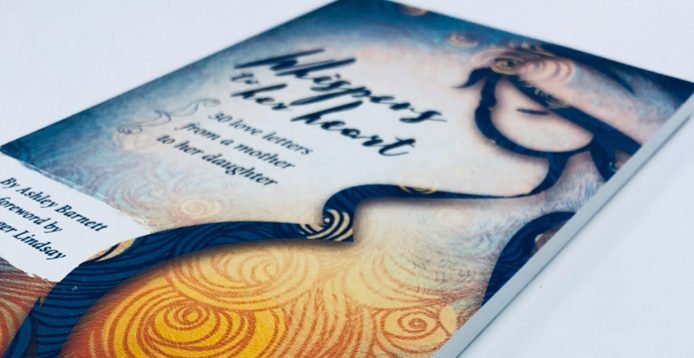
If you have ever held a paperback book and admired how perfectly the cover fits around the pages, you have witnessed the art of spine width calculation. It may sound technical, but this simple detail plays a big part in how professional your book looks once it is printed. Whether you are an author preparing to self publish, a book publisher helping clients bring their stories to life, or a designer working on book illustration, understanding spine width calculation for paperback can save time, money, and frustration. Imagine spending months creating the perfect manuscript and designing a beautiful cover, only to find that the spine text does not align properly or the cover wraps unevenly around the pages.
It can make even the best written story appear less polished. A good spine width calculation prevents that from happening. It ensures that the printed cover fits your book precisely, giving it the professional look every author dreams of. In today’s publishing world, where both physical books and digital formats matter, having this knowledge helps you stay ahead. Ebook publishers often work with the same design principles used in paperback creation, especially when creating visual mockups or promotional material. Understanding these measurements is not just for printers, it is an important skill for anyone involved in book design or publishing.
Understanding Spine Width Calculation for Paperback
Spine width refers to the thickness of your book’s spine, which depends on the number of pages and the type of paper used. A simple formula can help you find it. Multiply the total number of pages by the paper thickness (also called paper caliper). The result gives you the spine width in millimeters or inches. For example, if your paper thickness is 0.06 millimeters and your book has 300 pages, the spine width would be 18 millimeters. This measurement guides your cover design. The front, back, and spine together form one continuous cover layout. When the spine is calculated correctly, your title and author name appear neatly centered, and the book looks perfectly balanced on the shelf.
Why Accuracy Matters in Publishing
A small error in spine width can lead to visible flaws in the final print. If the spine is too narrow, text can wrap awkwardly onto the front or back cover. If it is too wide, the spine text may not appear straight. For a book publisher or designer, accuracy builds credibility and trust. Readers may not consciously notice the spine measurement, but they will notice if something looks off. This is also where the skill of book illustration plays a key role. A well designed illustration on the spine can enhance the visual appeal of your paperback, especially when multiple titles sit side by side on a shelf. Careful alignment and spacing ensure that every detail looks deliberate and professional.
Practical Tips for Perfect Spine Design
The spine design of a book can significantly impact its appearance, making it look like it came from a professional press. To ensure a perfect spine, it is crucial to confirm the final page count after editing and formatting, as even minor changes can affect the spine width. Ask your printer for exact paper specifications, including paper weight and caliper, to ensure the cover design fits perfectly around the printed pages. Create the cover as a single file, including the front cover, spine, and back cover, to visualize how the entire design fits together and ensure the spine text aligns perfectly with the cover artwork.
Pay attention to font size and placement on the spine, as too large or too small text can appear cramped or hard to read. Leave enough margin space on both sides of the spine to prevent printing misalignment. Keep your title and author name horizontally centered for a clean, professional look.
Print a test version on plain paper and wrap it around a book of similar thickness to check alignment, spacing, and text visibility before sending the final version for print. If collaborating with a book publisher or ebook publisher, share your mockup to confirm technical details meet professional printing standards.
Book illustration plays a key role in spine design, adding personality and making the book stand out on the shelf. Simplicity often delivers the best visual impact, and the goal is to create harmony between the cover art and spine, making the paperback polished, cohesive, and ready to impress readers at first glance.
In the end, spine width calculation for paperback books might seem like a small detail, but it has a big impact on your final product. When done correctly, it brings your book together beautifully, making it ready for readers and retailers alike. Whether you specialize in book illustration or publish ebooks, knowing how to calculate and apply spine width ensures that every project looks polished and professional. It is one of those quiet skills that separates an average book from a truly exceptional one.