
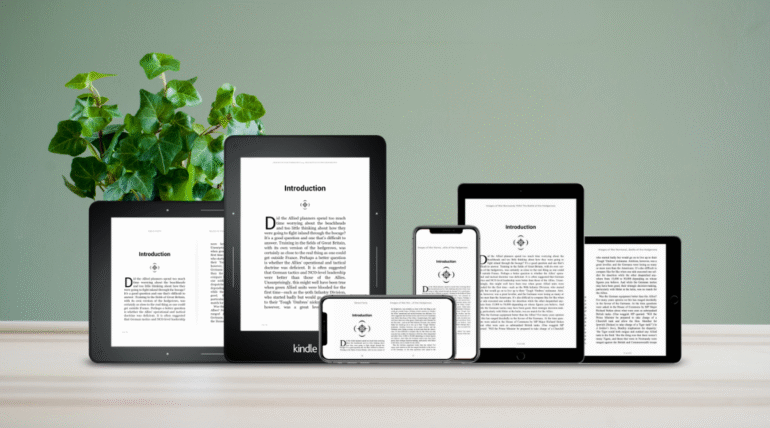
Creating an ebook that looks smooth on every device can feel both exciting and overwhelming. Many new authors begin with a simple idea for a story or guide, then discover that real readers will open their book on all kinds of screens. Some will use a phone. Others will flip pages on a tablet. Many will still rely on classic e-readers. Each device interprets formatting in its own way, which means a layout that appears perfect on a laptop might appear cramped or uneven on a smaller screen. This can leave both new and experienced writers wondering how to deliver a clean reading experience without needing advanced technical skills.
How to format your ebook for multiple devices seamlessly: The good news is that formatting for several devices is easier than it seems once you understand how digital text behaves. Modern tools help writers correct spacing, adjust images, refine paragraphs, and maintain consistency. Book publishers and an experienced ebook publisher rely on these best practices every day, and self-publishers can use the same methods to elevate the final product. Whether your book includes simple text or detailed Book Illustration, this guide shows you how to prepare your manuscript so readers enjoy it on any screen. With a little patience and the right approach, you can craft an ebook that feels polished, professional and ready for every audience.
Understand How Digital Text Responds to Different Screens
Digital books do not stay fixed the way a print page does. Fonts shift based on reader settings. Images scale according to screen size. Paragraphs wrap differently depending on the device. To format well, you need to think about flow rather than rigid placement. Book publishers have followed this principle for years because it keeps readers comfortable. When you approach your layout with flexible flow in mind, you reduce the risk of broken pages or awkward visual gaps.
How to Format Your eBook for Multiple Devices Seamlessly: Keep Your Structure Simple and Clean
A strong structure helps your ebook adapt smoothly. Start with clear chapter breaks and consistent spacing. Avoid large blocks of text because these can feel heavy on a small phone screen. Short paragraphs improve readability and give your content a natural rhythm. Self-publishers often find that a simple layout removes many common errors and keeps editing time manageable.
Choose Fonts and Sizes that Travel Well
Not every font displays the same way across devices. Stick with standard fonts that most readers can access. Choose sizes that remain easy to read on both small and large screens. This creates a smoother experience for users who adjust their own display settings. An experienced ebook publisher will always prioritize clarity over flashy style because clarity supports every type of reader.
Prepare Images with Care
If your book includes Book Illustration or other visuals, you need to prepare each file so it renders correctly across devices. Use high-quality images but keep file sizes reasonable to avoid slow loading. Place images between paragraphs rather than wrapping them tightly around text because wrapping can shift unpredictably on various screens. Test your images on a tablet and a phone to see how they respond.
Use Reliable Formatting Tools
Many writing programs now include built in features that prepare your manuscript for digital export. These tools help manage spacing, headings, page breaks, and table of contents links. Self publishers can take advantage of these tools without hiring a tech expert. If you want even more control, you can use specialized ebook creation software that checks for errors before publication.
Test Your Ebook on Several Devices
Once you export your ebook, test it on as many screens as possible. Try a phone, a tablet, and an e-reader. Look for inconsistent spacing, missing links, or distorted images. Book publishers often go through several rounds of testing before sending a file to market. This step ensures a smooth reading experience and gives you confidence that your work meets professional expectations.
Ultimately, learning how to format your ebook for multiple devices seamlessly does not need to be complicated. With thoughtful structure, friendly text well well-prepared images, and careful testing, you can create a product that feels polished and reliable. Whether you work with an ebook publisher or follow the path many self-publishers take, your goal remains the same. You want readers to enjoy a smooth experience from the first page to the last. By focusing on adaptable design, your ebook will feel consistent comfortable, and ready for a wide audience.